You can’t protect what you haven’t vetted—and most hosts count on your ignorance. Match security features to your actual needs (e-commerce demands more than a hobby blog). Demand daily backups with 30-day retention, real SSL encryption, and 99.9% uptime guarantees backed by proof, not marketing fluff. Verify 24/7 malware scanning, DDoS protection, and incident response protocols. Compare at least three hosts side-by-side, hunting for hidden fees on certificates and monitoring. Get specific answers about security certifications and response times. The details separating solid protection from expensive theater await below.
Key Takeaways
- Evaluate multi-layered security features including SSL, firewalls, and malware scanning aligned with your site’s actual needs and data sensitivity.
- Ensure daily backups with 30-day retention, offsite storage, and tested recovery procedures to prevent data loss during server failures.
- Verify 99.9% uptime guarantees using third-party monitoring tools and request 90-day uptime reports rather than relying on marketing claims.
- Confirm real-time threat detection, automated malware removal, 24/7 security monitoring, and documented incident response protocols with certified security teams.
- Compare total annual costs across three hosts, identifying which security features are standard versus additional charges before committing.
Match Security Features to Your WordPress Use Case

Before you start comparing hosting plans side-by-side, you’ll want to get crystal clear on what you’re actually protecting. A basic blog doesn’t need Fort Knox-level security.
But an e-commerce site handling credit cards? Different story entirely.
Map out your WordPress setup first. What plugins are you running? (Seriously, check your plugin compatibility requirements.)
Are you selling products, collecting sensitive data, or just sharing cat photos? Your answers determine which security features actually matter.
Best hosting resources typically include SSL certificates, firewalls, and malware scanning.
But you’ll waste money on premium protection if you’re running a simple portfolio site.
Match your security level to your real risk. That’s just smart spending.
Confirm Your Site Uses Encryption (SSL/HTTPS)
SSL certificates aren’t optional anymore—they’re the bare minimum. Your WordPress hosting provider should offer them—ideally free through Let’s Encrypt.
SSL certificates aren’t optional anymore—they’re the bare minimum your WordPress hosting must provide, ideally free through Let’s Encrypt.
Here’s why you can’t skip this:
- HTTPS enforcement automatically redirects visitors to encrypted connections, protecting their data from prying eyes.
- Browser warnings appear when sites lack SSL—Chrome literally screams “Not Secure” in red, tanking your credibility instantly.
- Encryption standards keep passwords and payment info scrambled, making you look professional and trustworthy.
- User trust skyrockets when visitors see that padlock icon; they’ll actually complete purchases instead of bailing.
Your hosting provider should handle SSL installation automatically. Check their dashboard—you’ll spot the certificate details there.
Modern encryption standards mean zero performance hit. Data privacy isn’t just legal protection; it’s your competitive advantage.
Don’t be that site everyone avoids.
Verify Automatic WordPress Backups and Recovery
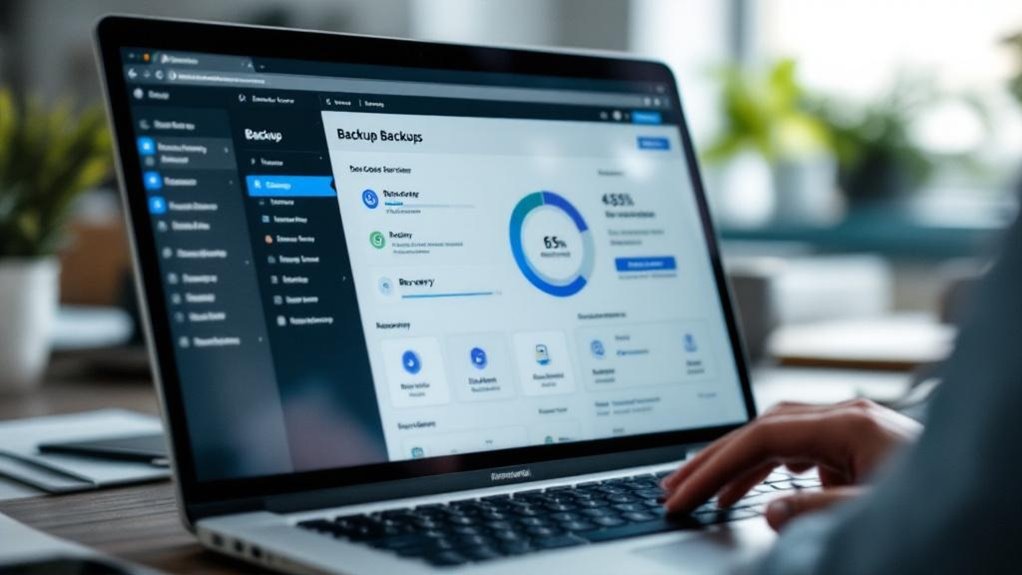
You’ll want to nail down exactly how often your host backs up your site—daily’s the sweet spot, though some providers will go weekly and call it “sufficient” (it’s not).
Then you’ve got to know where they’re stashing those backups and whether you can actually grab them yourself when disaster strikes, because relying on their recovery process when you’re already panicking isn’t exactly a winning strategy.
A solid host will keep multiple backup copies in different locations and let you restore to any point in time, which beats the alternative of watching your WordPress site vanish and hoping someone took notes.
Backup Frequency and Storage
Your WordPress site’s backup strategy is basically your insurance policy—except unlike actual insurance, you can test it without filing paperwork or waiting on hold for two hours.
Here’s what actually matters when evaluating backup frequency and storage solutions:
- Daily backups minimum. Weekly? That’s gambling with your content.
- At least 30 days of retention. You won’t always catch problems immediately.
- Offsite storage required. Your host’s server dying means nothing if backups live there too.
- Easy backup testing. Seriously—restore a test copy monthly. You’ll sleep better.
Most hosts claim they’ve got you covered, but verify their specific retention policies.
Check whether they charge extra for increased storage or faster restoration. The difference between “we backup your site” and “we can actually restore it quickly” matters tremendously when you’re panicking.
Disaster Recovery Protocols
Backups are only half the battle—actually getting your site back online when disaster strikes is where most hosting providers go mysteriously quiet.
You’ll want to dig into their disaster recovery protocols before signing any contract. Ask directly: how fast can they restore your data recovery systems? Hours matter. Days don’t.
Look for providers offering automated recovery processes (not just backup systems sitting idle on some server). SiteGround and Kinsta, for example, promise restoration within minutes, not weeks.
That’s the difference between a minor headache and total business collapse.
Verify they test their recovery procedures regularly. A backup that’s never been tested is basically a paperweight.
Request documentation showing actual restoration times. Generic promises mean nothing—you need specifics.
Check for Active Malware Scanning and Removal
You’ll want your host to run real-time threat detection systems that actually catch malware before it wreaks havoc on your site—not some yearly scan that discovers problems months too late.
Look for automated virus removal protocols that handle cleanup without requiring you to panic-email support at 2 a.m., because let’s face it, malware doesn’t respect business hours.
The best hosts integrate these tools continuously, scanning file uploads and database changes as they happen, which beats the alternative of discovering you’ve been hacked through angry customer emails.
Real-Time Threat Detection Systems
Real-time threat detection systems are honestly one of those features that separate the hosting providers who actually care from the ones just coasting.
You’re getting actual protection instead of hoping nothing bad happens.
Here’s what you’re actually looking for:
- Real time alerts that notify you immediately when something sketchy appears (not three days later)
- Threat intelligence feeds that keep your host updated on emerging vulnerabilities and attack patterns
- Automated response systems that quarantine suspicious files before they wreck your site
- 24/7 monitoring that doesn’t rely on a single overworked person checking logs
The best providers integrate these systems continuously, not just during business hours.
You’ll sleep better knowing your WordPress installation’s being actively watched.
It’s the difference between having security and actually having security.
Automated Virus Removal Protocols
While threat detection spots the bad guys, automated virus removal actually kicks them out—and that’s where things get real.
You’ll want hosting that offers custom virus scanning, not just generic malware checks. The best providers run constant scans (usually daily) and—here’s the key—they don’t just alert you to problems. They actively eliminate threats automatically.
Look for remote cleanup services included in your plan. When malware hits your WordPress site, you shouldn’t have to play tech support yourself.
Quality hosts quarantine infected files, remove malicious code, and restore clean backups within hours. It’s the difference between knowing you’re under attack and actually getting saved. Some providers offer this 24/7, which matters when trouble strikes at 2 AM. That’s genuine peace of mind.
Confirm Your Host’s Server Uptime Guarantee

Most hosting providers promise you 99.9% uptime—which sounds bulletproof until you realize that translates to roughly 43 minutes of downtime per month.
Here’s the thing: server uptime directly impacts your WordPress site’s reliability significance. When your host goes down, so does your business. You’ll want to dig deeper than their marketing claims.
Server uptime directly impacts your WordPress site’s reliability. When your host goes down, your business goes down too.
Check these reliability factors:
- Uptime monitoring tools like UptimeRobot or Pingdom—they’ll show you actual performance, not just promises
- Service Level Agreements (SLAs) with guaranteed compensation if they miss targets
- Redundant servers and data centers that automatically failover when issues arise
- Real customer reviews mentioning actual outage impact and response times
Ask your potential host directly: what’s their track record?
Request uptime reports from the last 90 days. Most reputable companies gladly share this. Don’t settle for vague assurances—demand proof.
Compare Firewall and DDoS Protection Options
How many times have you heard a hosting company brag about their “enterprise-grade security”? Yeah, we’ve all heard it. The truth? You need to dig deeper into their actual firewall types and DDoS mitigation strategies.
Ask your host straight up: do they use hardware firewalls, software firewalls, or both? Hardware firewalls protect your entire server; software firewalls guard individual accounts. Better hosts offer layered protection.
For DDoS mitigation, look for companies using Cloudflare, Akamai, or similar services. These catch suspicious traffic patterns before they hit your site. Check if they offer automatic DDoS detection—not the “we’ll contact you” nonsense, but real-time blocking.
Don’t accept vague answers. Demand specifics: response time, traffic thresholds, protection scope. Your WordPress site’s security depends on it.
Prioritize WordPress-Native Security Plugins and Hardening
Your hosting provider’s firewalls and DDoS shields only get you so far—they’re the bouncers at the club, but you still need locks on your office door.
That’s where WordPress-native security plugins come in. You’re looking at tools like Wordfence, Sucuri, or iThemes Security that understand your platform’s specific vulnerabilities. They’ll monitor file changes, block suspicious login attempts, and enforce security updates automatically.
WordPress-native security plugins like Wordfence monitor file changes, block suspicious logins, and enforce automatic updates to address platform-specific vulnerabilities.
Here’s what matters:
- Plugin compatibility with your hosting environment prevents conflicts that create security gaps
- Automated security updates patch vulnerabilities before hackers exploit them
- Two-factor authentication adds friction that deters most attackers
- Regular malware scanning catches infections early
Don’t skimp on this layer. These plugins aren’t luxuries—they’re essential infrastructure.
Your hosting’s defenses handle bulk threats, but these tools provide granular protection where you actually need it most.
Verify 24/7 Security Support and Incident Response
You’ll want to confirm your host actually has people monitoring your site 24/7—not just automated alerts that ping you at 3 a.m. when you’re sleeping.
The real differentiator is their incident response time; some hosts brag about “rapid response” while taking six hours to patch a vulnerability, so ask for specific SLAs (like “critical threats addressed within 30 minutes”) and check whether their security team has certifications like CEH or CISSP rather than just “we hire smart people.”
Don’t settle for outsourced support either—you need folks who actually understand WordPress architecture, not generic help desk staff reading from a script when your site gets compromised.
Round-The-Clock Monitoring Services
Because WordPress sites get attacked at 2 a.m. on Sundays—when you’re definitely not checking your dashboard—24/7 monitoring isn’t optional, it’s table stakes.
Here’s what continuous oversight actually does for you:
- Real-time threat detection catches malware before it spreads across your database
- Proactive alerts notify you instantly (not after your site’s already compromised)
- Automated response systems quarantine suspicious files without waiting for your permission
- Incident logs give you concrete evidence for investigations and insurance claims
You’re not paying for theoretical protection. You’re paying for humans and bots watching your site when you’re asleep, eating dinner, or pretending to work.
The best hosts don’t just monitor—they *respond*. They’ve got security teams actually trained to handle breaches, not just automated scripts that send you cryptic emails at 3 a.m. That’s the difference between “we saw the problem” and “we fixed it.”
Swift Incident Response Protocols
Having a monitoring system that spots problems is half the battle—actually fixing them before your site stays down for hours is what separates hosting companies that mean business from ones that just talk a good game. You’ll want incident management protocols that actually work.
Look for providers offering 24/7 support with real humans (not just bots) who can jump on issues immediately. Response readiness matters hugely—ask how fast they typically resolve security breaches or crashes. Some companies brag about response times under 15 minutes. That’s worth paying attention to.
Check if they provide status updates during incidents so you’re not left wondering what’s happening. The best hosts? They’ve got dedicated security teams standing by, ready to act before your visitors notice anything’s wrong.
Security Team Expertise Standards
When you’re trusting a hosting company with your WordPress site, their security team isn’t just window dressing—it’s the actual difference between a quick fix and a catastrophic breach that tanks your reputation.
You need to verify they’ve got the chops. Look for:
- CISSP or Security+ certifications proving expert team qualifications beyond marketing fluff
- 24/7 monitoring staffed by humans, not just automated alerts (because 3 a.m. breaches don’t care about business hours)
- Documented incident response plans with actual response time guarantees—not vague promises
- Security certification standards like ISO 27001 showing they’re serious about compliance
Ask them straight: How many security professionals staff your team?
What’s their average response time?
You’ll quickly spot who’s genuinely invested versus who’s just checking boxes.
Factor in Security-Related Costs and Hidden Fees
While you’re comparing WordPress hosting plans, you’ll notice that security often comes with a price tag attached—sometimes an obvious one, sometimes buried so deep in the fine print you’d need a detective to find it.
Look beyond advertised rates. Many hosts quote base prices then tack on SSL certificates ($50–$200/year), daily backups ($10–$30/month), and malware scanning fees. That “affordable” $5/month plan? It’s probably $25 after security add-ons.
Demand cost transparency upfront. Ask about fee structures before committing. Some providers include security features standard; others nickel-and-dime you endlessly.
Demand upfront cost transparency from hosts. Ask about fee structures before committing to avoid endless nickel-and-diming on security features.
Compare total annual costs, not monthly rates. You’ll discover which hosts actually value protection versus those simply capitalizing on your security anxiety.
Use This Security Checklist to Compare Hosts

Now that you’ve got a realistic budget, it’s time to actually evaluate which hosts deliver on their security promises.
Don’t just take their marketing claims at face value—dig deeper.
Here’s what you’re looking for during your web host comparison:
- SSL certificates included (not an extra $50/year charge)
- Regular security audits mentioned in their documentation
- Malware scanning and removal as standard features
- Two-factor authentication for your control panel access
Ask potential hosts directly: “When’s your last security audit?”
If they dodge the question or seem vague, that’s telling. You want transparency, not corporate silence.
Check their uptime records too.
Real security means consistent protection, not just flashy promises.
Compare at least three hosts side-by-side using this checklist. You’ll spot the serious players quickly.
Frequently Asked Questions
How Often Should I Update WordPress Core Files, Themes, and Plugins for Optimal Security?
You should update your WordPress core updates immediately when they’re released. Enable automatic updates for themes and plugins to maintain security. Manual checks weekly guarantee you’re catching critical patches promptly.
You’ll find shared hosting shares resources with other sites, limiting security features. VPS gives you isolated space with better hosting performance and control. Dedicated hosting offers maximum security features and performance since you’re the sole user.
Can I Migrate My Existing WordPress Site to a New Secure Host Safely?
You can migrate your WordPress site safely by developing a solid backup strategy before you start. You’ll use migration plugins or manual methods to transfer files and databases to your new secure host without downtime.
How Do I Identify and Remove Malware if My WordPress Site Gets Compromised?
You’ll spot warning signs like sluggish pages and unexpected redirects. Install malware detection plugins, scan your files thoroughly, then perform malware removal by deleting infected code, updating WordPress, and changing all passwords immediately.
What Security Certifications and Compliance Standards Should a WordPress Host Maintain?
You’ll want your WordPress host maintaining SSL certificates, PCI compliance, GDPR adherence, and ISO certifications. These standards guarantee you’re protected against data breaches, payment fraud, and regulatory violations while safeguarding your site’s security.
Final Thoughts
You’ve basically got to treat your WordPress host like you’d vet a babysitter—seriously intense scrutiny required. SSL certificates, automatic backups, malware scanning, 24/7 support: these aren’t luxuries, they’re non-negotiables. Yeah, security costs extra (always does), but a breach’ll cost you way more. Run that checklist. Compare three hosts minimum. Your site’s literally your digital storefront—don’t cheap out.
Ready to secure your WordPress hosting the right way? Contact Innovative Solutions Group today. With over 30 years of experience in website design and digital marketing services, we’ve helped countless businesses protect their digital storefronts. Let our experts guide you through choosing the perfect secure hosting solution for your needs.
Reach out now:
Phone: 406-495-9291
Email: iteam@inovativhosting.com
Website: https://inovativhosting.com
Don’t leave your site’s security to chance. Call Innovative Solutions Group and get the expert advice your WordPress site deserves.