When choosing a WordPress maintenance provider, look for weekly updates, daily automated backups stored off-site, and real security monitoring (think Sucuri or Wordfence—not just a checkbox). Plans typically run $50–$150 monthly for basics, jumping to $300–$500 for priority support and performance optimization. Confirm those optimizations are included, not billed separately every time. Check their reporting transparency, response time guarantees, and cancellation terms before signing anything. There’s more worth knowing before you commit.
Key Takeaways
- Confirm the provider offers weekly updates, daily automated backups, real-time security scanning, and uptime monitoring as standard plan inclusions.
- Look for transparent, detailed performance reports showing uptime percentages and actionable insights rather than vague dashboards with no real data.
- Verify technical expertise through certifications, case studies, and asking which specific team member will manage your site.
- Review contracts carefully for response time guarantees, cancellation terms, ownership rights, and policies regarding future price increases.
- Ensure the provider offers scalable plans accommodating site growth, traffic spikes, and flexibility without charging extra for basic optimizations.
How Much Does WordPress Maintenance Actually Cost?
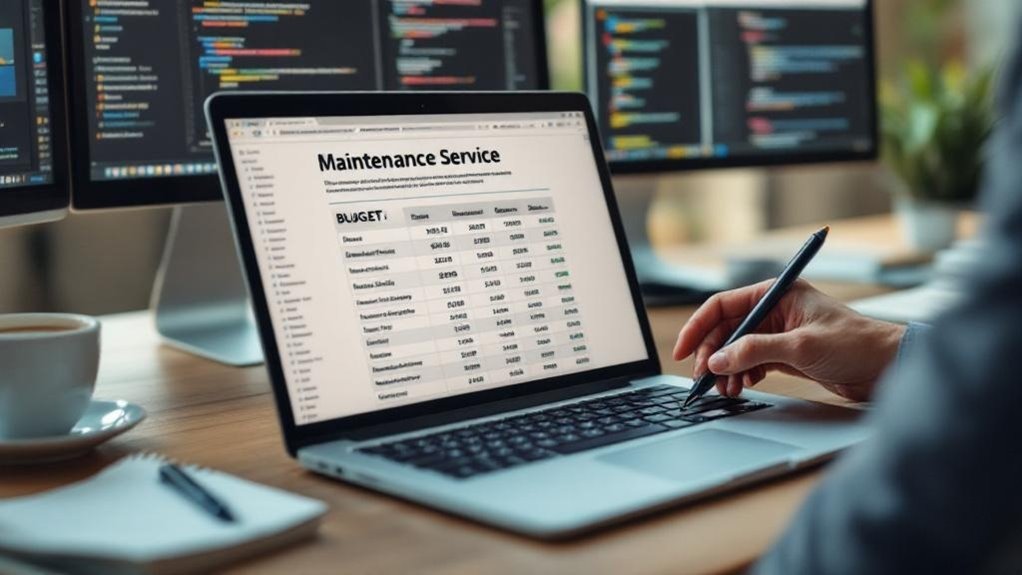
WordPress maintenance costs can catch you off guard if you’re not paying attention. Basic maintenance costs typically run $50–$150 per month for essentials like updates, backups, and security scans.
WordPress maintenance costs sneak up on you. Expect $50–$150 monthly just for the basics.
Not glamorous, but necessary. Think of it like an oil change—skip it, and you’ll pay way more later.
Premium service pricing climbs to $300–$500 monthly (sometimes higher) and usually covers performance optimization, uptime monitoring, and priority support. Sounds steep, right? It can be.
But consider the alternative: a hacked site or a crashed store losing sales by the hour. That gets expensive fast.
The sweet spot depends on your site’s complexity and traffic. A simple blog needs less than an e-commerce store processing daily transactions. Know what you actually need before you commit. Higher-tier plans often include malware scanning and firewall protection to block malicious activity before it causes costly damage.
What Red Flags Should You Watch for in a Provider?
Not every WordPress maintenance provider is worth your money—and some are genuinely worth avoiding.
Watch for vague pricing structures (classic “contact us for rates” energy), zero client testimonials, and suspiciously fast response time promises with no explanation of how they’ll actually deliver.
Poor communication style is a massive warning sign—if they’re confusing during the sales pitch, imagine post-payment.
Check their experience level carefully. Providers without a verifiable company reputation or real case studies are risky bets.
Limited customization options signal a cookie-cutter operation that won’t fit your specific needs.
Also, weak service transparency—like refusing to explain what’s actually included—should stop you cold.
A provider that can’t demonstrate how their work supports your site’s domain age and authority is one that likely doesn’t understand the broader impact of proper WordPress maintenance on your online presence.
Trust your gut. If something feels off before you’ve signed anything, it probably is.
What Services Should a WordPress Maintenance Plan Include?

When you’re paying for a WordPress maintenance plan, you deserve more than just vague promises about “keeping your site healthy” (whatever that means).
A solid plan should cover the basics: regular core, theme, and plugin updates, automated daily backups stored off-site, and uptime monitoring that actually alerts someone when your site goes down at 2 a.m.
Security monitoring is non-negotiable too—you want real-time malware scanning, firewall protection, and a clear response plan if something gets compromised, not just a shrug and a “sorry about that.”
Higher-tier plans may also include a free CDN installation to improve site speed and ensure a better experience for visitors regardless of their location.
Core Maintenance Features
A good WordPress maintenance plan is basically a safety net—but only if it actually catches you when you fall. That means core updates shouldn’t just happen occasionally—they should happen consistently, before vulnerabilities turn into actual problems.
WordPress releases updates regularly, and skipping them is basically leaving your front door ajar.
Plugin management matters just as much. You might’ve 15 plugins installed (most sites do), and every outdated one is a potential entry point for hackers.
A solid provider tracks those updates, tests them before pushing live, and doesn’t just click “update all” and pray.
Look for providers who handle both without making you chase them down. If you’re asking when something was last updated, that’s already a red flag. Deactivating and deleting unused themes and plugins you no longer need is just as important as keeping the active ones current, since dormant code still carries risk.
Reliable Security Monitoring
Updates and patches close the gaps—but what happens when something slips through anyway? That’s where reliable security monitoring earns its keep.
A solid maintenance service runs continuous vulnerability assessments—not quarterly, not “whenever we remember,” but around the clock. You want a provider that catches suspicious login attempts, malware injections, and file changes before they spiral into actual disasters.
Security breach prevention isn’t just a buzzword; it’s the difference between a minor headache and a full site recovery nightmare (those cost real money, by the way).
Look for services offering real-time alerts, automated malware scanning, and firewall protection. Sucuri and Wordfence are industry-standard tools worth mentioning by name. If your provider can’t tell you exactly what they’re monitoring, that’s your answer right there. A strong security strategy also includes two-factor authentication for all administrative accounts to prevent unauthorized access even when credentials are compromised.
How to Evaluate a Provider’s WordPress Security Practices
When you’re vetting a WordPress maintenance provider, their security practices will tell you everything (really, everything) about how seriously they take your site.
You want proactive threat monitoring—not the “we’ll fix it after it breaks” approach that too many providers quietly default to—plus solid malware detection methods like daily automated scans with tools such as Sucuri or Wordfence.
Ask point-blank how often they run full security audits; anything less than monthly is a red flag worth taking seriously.
A reputable provider should also enforce two-factor authentication for all WordPress user accounts, adding a critical layer of protection against unauthorized access.
Proactive Threat Monitoring
Security isn’t just about fixing problems after they happen—it’s about catching them before they blow up. A solid provider uses real threat detection techniques like automated malware scanning (at least daily), firewall monitoring, and login anomaly alerts.
Ask them specifically: what triggers an alert, and who responds? If they stammer, that’s your answer. Good incident response strategies mean they’re not just watching—they’re acting fast, ideally within the hour.
Look for providers offering 24/7 monitoring, not just “regular check-ins” (vague, and honestly a red flag). Sucuri and Wordfence are industry-standard tools worth mentioning in your conversations with them.
If a provider can’t name their stack, keep walking. Proactive monitoring isn’t a luxury—it’s the whole point. A reputable provider should also verify that your site’s plugins and themes are regularly updated, since outdated plugins and themes are among the most common entry points attackers exploit.
Malware Detection Methods
Malware doesn’t announce itself—that’s kind of the whole problem. A decent maintenance provider won’t wait for your site to crash before investigating.
They’ll use automatic scanning (ideally daily, not weekly) to catch suspicious files, injected code, or unauthorized changes before visitors notice anything wrong. Look for real time protection that flags threats as they emerge, not hours later.
Sucuri and Wordfence are two names worth recognizing here—providers using these tools are at least working with reliable infrastructure. Ask specifically how often scans run and what happens when something’s flagged.
Do they fix it, or just email you a scary report? (Spoiler: you want the fix included.) Detection without remediation is basically a smoke alarm with no sprinklers. A strong provider will also back this up with daily backups and restoration capabilities, so that if malware does cause damage, your site can be recovered quickly and cleanly.
Security Audit Frequency
A good maintenance provider audits your site regularly—not just when something breaks.
Ask them directly: what’s your audit schedule? Monthly is the minimum you should accept. Weekly is better. Some providers run automated scans daily but only review results quarterly (which, honestly, defeats the purpose).
Security compliance isn’t just a buzzword—it means your site meets established standards like OWASP guidelines or PCI-DSS if you’re processing payments.
A solid provider checks your login configurations, file permissions, and plugin vulnerabilities on a consistent timeline, then actually tells you what they found.
Red flag: vague answers like “we monitor continuously.”
Push for specifics. How often? What tools? What happens after they find something? Real providers have real answers. Vague ones have great-looking websites.
A thorough provider should also verify that your database credentials are protected using secure password policies, including minimum length requirements, complexity rules, and periodic password changes.
Why Backup Frequency and Restore Speed Matter for WordPress Sites
Few things expose the gap between a good WordPress maintenance service and a mediocre one faster than how they handle backups. Some providers back up your site daily. Others? Weekly, if you’re lucky. That difference matters enormously when something breaks at 2 a.m. (and something always breaks at 2 a.m.).
When evaluating backup options, ask specifically how often backups run and where they’re stored—offsite storage isn’t optional, it’s essential. More importantly, demand restore comparisons between providers.
One service might promise backups but take six hours to restore your site. Another gets you back online in under 30 minutes. That gap costs you real money in lost traffic and frustrated customers.
Storing backups across multiple backup locations—such as cloud storage services and external hard drives—ensures that even if one copy is lost, your site data can still be recovered quickly.
Frequency and speed aren’t features—they’re your actual safety net.
How Often Should They Update Your Plugins, Themes, and Core?
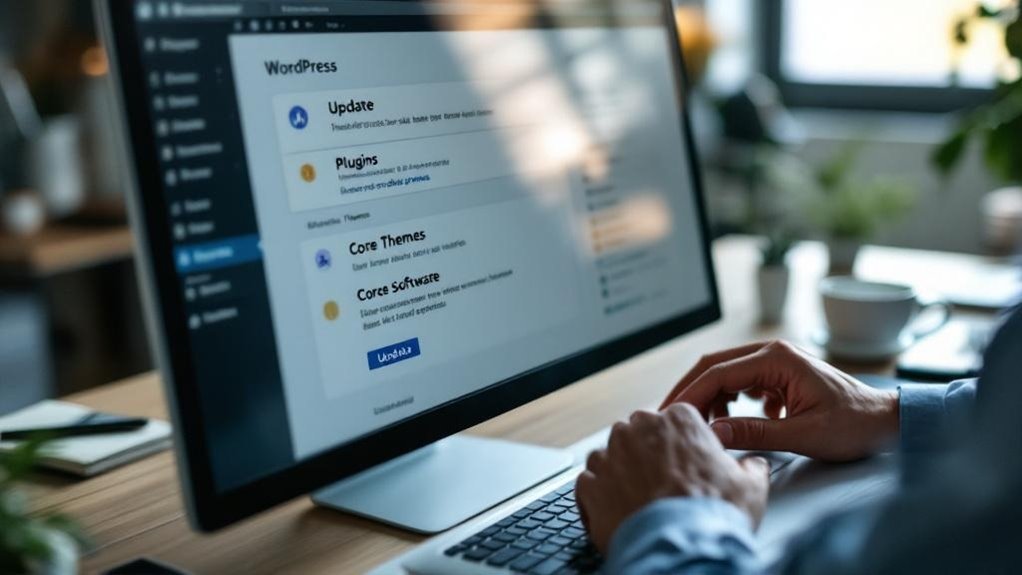
Updates are one of those things that sound boring until your site gets hacked because a plugin hadn’t been patched in three months. A solid maintenance service should handle updates weekly at minimum. Monthly is too slow (seriously, vulnerabilities don’t wait).
You want someone checking plugin compatibility before hitting update, not just blindly running changes that break your contact form at 2 a.m. Ask providers specifically about their update frequency—weekly versus as-needed is a real difference.
The best services test updates on a staging environment first, then push live. That extra step prevents the classic “we updated WooCommerce and now nothing works” disaster. Core WordPress updates need attention too, not just plugins.
Consistency here isn’t boring—it’s literally what keeps your site standing. Beyond updates, quality providers also perform regular database optimization to keep your site running at peak speed and performance.
Does Your WordPress Provider Monitor Uptime Around the Clock?
When your site goes down at 3 a.m. on a Tuesday (because of course it does), you need a maintenance service that’s already on it—not one that finds out when you send a panicked email six hours later.
The best providers use continuous monitoring tools like UptimeRobot or Pingdom, which check your site every minute and catch outages before they snowball into lost sales and frustrated visitors.
Look for instant alert systems that notify your provider the second something breaks, so they’re fixing the problem while you’re still asleep. Regular website performance monitoring also helps identify slowdowns and technical issues before they ever escalate into full-blown outages.
Continuous Monitoring Tools
Uptime monitoring is one of those features that sounds obvious—until you realize how many WordPress maintenance services skip it entirely (or do it badly).
Good providers use dedicated monitoring software like UptimeRobot or Pingdom to check your site every minute—not every hour.
That difference matters. If your site goes down at 2 a.m., you want automated alerts firing immediately, not a technician discovering the problem at 9 a.m. when your inbox is already full of angry customer emails.
Some services proudly advertise “24/7 monitoring” but actually mean they’ll *respond* 24/7—huge distinction.
Ask specifically: how often does your monitoring software check uptime? What triggers automated alerts?
You deserve real answers, not marketing language dressed up as a guarantee.
Top-tier providers pair uptime monitoring with automatic offsite backups, so if your site goes down due to a serious failure, your data is already secured and recovery can begin without delay.
Instant Alert Systems
How quickly your WordPress provider actually tells you about a problem is just as important as whether they catch it at all. Some services detect downtime but wait hours before sending alert notifications. That’s not helpful. You want proactive alerts hitting your inbox (or phone) within minutes—not whenever someone remembers to check the dashboard.
Look for providers offering urgent updates via SMS, email, or Slack integrations. System monitoring means nothing without a fast human handoff. Services like ManageWP or MainWP let reputable providers configure alerts every 60 seconds. That’s the standard worth demanding.
Here’s the candid truth: some providers dress up slow response times as “thorough investigation.” Don’t buy it. Speed matters when your store’s losing $300 per hour in downtime. Without a dedicated monitoring team, unpatched vulnerabilities and unresolved issues can compound quickly, turning a minor alert into a costly website repair or rebuild.
How Fast Do WordPress Maintenance Teams Respond When Things Break?

Speed matters when your site crashes at 2 a.m. on a Tuesday (right before a product launch, naturally). Response times separate decent maintenance teams from genuinely reliable ones.
Some providers promise 24/7 support but bury their emergency protocols in fine print—meaning you might wait six hours before anyone actually touches your broken site.
Look for teams offering response windows under one hour for critical issues. Ask directly: “What happens when my checkout page goes down at midnight?” Their answer reveals everything.
Solid providers have documented emergency protocols, dedicated on-call staff, and real ticketing systems—not just a shared Gmail inbox.
Beyond emergency response, reliable teams also handle website performance monitoring around the clock, catching slowdowns and outages before they spiral into bigger problems.
Companies like WP Buffs advertise 24/7 emergency response. Verify those claims before signing anything. Your customers won’t wait around while someone checks their notifications.
How to Verify a WordPress Team’s Real Technical Expertise
Anyone can slap “WordPress expert” on their website—it costs nothing and impresses nobody who knows better. So dig deeper.
Ask about team qualifications directly. What certifications does their staff actually hold? WooCommerce has official developer certifications. Google offers recognized credentials too. Real technical certifications exist—demand to see them.
Request case studies with specifics. Not vague success stories, but actual numbers: “We reduced load time from 8 seconds to 1.4 seconds for a 200-product WooCommerce store.” That’s verifiable. That’s meaningful.
Ask who handles your site personally. Junior developer or senior engineer? (Big difference, obviously.) A credible team won’t dodge this question—they’ll answer confidently because they’re proud of their people.
Evasive answers tell you everything you need to know.
Does WordPress Performance Optimization Come Standard or Cost Extra?

Performance optimization—caching, image compression, database cleanup—sounds like it should be table stakes for any WordPress maintenance plan. Spoiler: it often isn’t. Many providers bury performance enhancement features inside premium tiers, charging an extra $50–$150/month beyond their base package. That stings.
Before signing anything, ask directly: “Does your plan include page speed improvements?” Watch how they answer. Vague responses usually mean upcharges incoming.
Cost considerations matter here because slow sites lose real money—Google research shows a one-second delay drops conversions by roughly 7%. That’s not abstract; that’s customers leaving.
Some honest providers (they exist) bundle basic caching setup and quarterly database cleanups into standard plans. Others treat every optimization task like a billable emergency.
Know which one you’re hiring before your wallet finds out the hard way.
Can They Scale With Your WordPress Site as It Grows?
What works for a 10-page brochure site won’t cut it when you’ve got 500 products, three times the traffic, and a blog churning out weekly content.
Ask potential providers directly: do they offer scalable solutions that grow alongside your site, or will you hit a wall the moment things get serious?
Growth readiness isn’t just a buzzword—it’s whether they can handle a spike to 50,000 monthly visitors without shrugging.
Look for tiered plans, flexible storage upgrades, and teams experienced with WooCommerce scaling (because “we’ll figure it out” isn’t a strategy).
The right provider anticipates your next stage before you’re already drowning in it.
Small now doesn’t mean small forever, and your maintenance partner should genuinely understand that.
What Should Transparent WordPress Maintenance Reporting Look Like?

Transparency sounds great until you realize most maintenance reports are just PDFs nobody reads.
Real maintenance transparency means your provider sends you something actually useful—think weekly or monthly summaries showing uptime percentages (99.9% vs. 97% matters), plugins updated, backups completed, and security scans run. Not a generic email with zero specifics.
Real transparency isn’t a PDF nobody opens. It’s uptime numbers, backup confirmations, and actual specifics.
Performance reporting should include load time changes, like “your homepage dropped from 4.2 seconds to 1.8 seconds this month.” That’s actionable. That means something.
Ask potential providers what their reports look like before signing anything. If they show you a vague dashboard with pretty colors but no real numbers, keep walking.
The best services make you feel informed, not impressed. There’s a difference, and good providers know it.
What to Know Before Signing a WordPress Maintenance Contract
Once you know what good reporting looks like, the next step is making sure the contract actually backs it up. Service agreements vary wildly, and the contract specifics determine what you’re actually getting.
Before signing anything, check these key clauses:
| Contract Element | What to Watch For |
|---|---|
| Response time | Is “24 hours” guaranteed or just suggested? |
| Cancellation terms | Are you locked in for 12 months? |
| Scope of work | Does it list exact tasks performed? |
| Ownership rights | Who controls your site files and backups? |
| Price increases | Can they raise rates without notice? |
Vague language in contracts almost always benefits the provider—not you. If something feels unclear, ask for clarification before signing. A trustworthy service won’t hesitate.
Frequently Asked Questions
Can a WordPress Maintenance Provider Also Help With Content Updates?
Yes, many providers handle content editing as part of their services. They’ll update pages, refresh blog posts, and even offer strategy consultation to guarantee your content aligns with your business goals and engages your audience effectively.
Do WordPress Maintenance Plans Cover Woocommerce and eCommerce Functionality?
Many WordPress maintenance plans do cover WooCommerce updates and eCommerce troubleshooting, but you’ll want to confirm this with your provider. Some plans include it as standard, while others offer it as an add-on service.
Will My WordPress Site Stay Online During Scheduled Maintenance Windows?
Your site doesn’t have to experience maintenance downtime. Quality providers keep your site live while performing updates, and they’ll send user notifications in advance, so you’re always informed before any temporary disruption occurs.
Can I Keep My Existing Hosting Provider With a Maintenance Service?
It’s a fortunate coincidence that most WordPress maintenance services offer hosting compatibility, so you’ll likely keep your current host. They’ll handle seamless service integration, working directly within your existing hosting environment without disruption.
What Happens to My WordPress Site if the Maintenance Company Closes?
If your maintenance company closes, you’ll retain site ownership, but you may face challenges. Make certain you’ve got regular backups to simplify data recovery and keep your WordPress site running smoothly without disruption.
Final Thoughts
Choosing a WordPress maintenance provider doesn’t have to feel like defusing a bomb in the dark. You now know what to look for—fair pricing, real security practices, honest reporting, and contracts that don’t trap you. Trust your gut when something feels off. The right provider operates like a reliable co-pilot, not a mystery box.
Don’t leave your WordPress site’s future to chance. Contact Innovative Solutions Group today and benefit from over 30 years of expertise in website design and digital marketing services. Our team understands what it takes to keep your site secure, updated, and performing at its best.
Ready to partner with professionals who have your back?
Phone: 406-495-9291
Email: iteam@inovativhosting.com
Website: https://inovativhosting.com
Do your homework, ask hard questions, and discover a maintenance partner worth every dollar. Innovative Solutions Group has been trusted since 1994—let us be your reliable co-pilot.