Elementor is easier to learn and better for freelancers and agencies managing a handful of sites, while Divi makes more sense if you’re running multiple projects and want a lifetime deal for $249. Neither one produces clean code out of the box (a running joke in WordPress circles), and both will slow your site down without decent hosting. Your call really comes down to budget and workflow—stick around and we’ll break it all down properly.
Key Takeaways
- Divi offers 2,000+ pre-built layouts and deep customization, while Elementor provides 300+ modern templates with a more intuitive, beginner-friendly interface.
- Elementor is generally easier to learn, making it ideal for freelancers, while Divi suits users managing multiple sites long-term.
- Divi costs $89/year for unlimited sites, whereas Elementor Pro starts at $59/year for just one site, making Divi more cost-effective.
- Both builders struggle with clean code generation, negatively impacting SEO and page speed, requiring optimization efforts regardless of choice.
- Elementor offers better plugin compatibility and a larger third-party ecosystem, while Divi occasionally experiences conflicts with external plugins.
What Are Divi and Elementor, and Who Are They For?
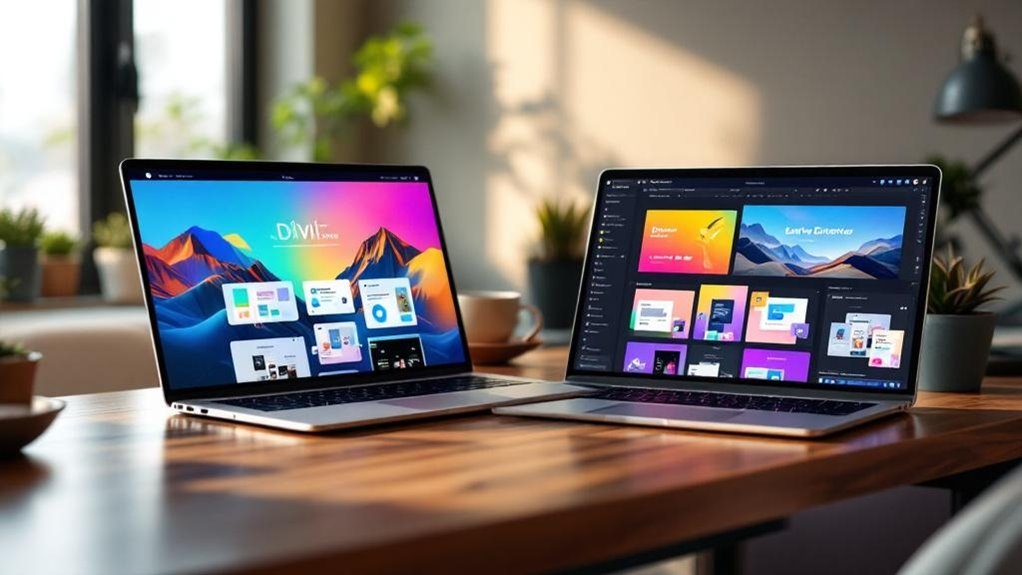
When it comes to building a WordPress website without touching a line of code, two names keep coming up: Divi and Elementor. Both are page builders, but they serve slightly different user demographics.
Divi is a premium theme and builder combo from Elegant Themes—it bundles Divi features like pre-built layouts, a visual editor, and unlimited site usage into one annual subscription.
Divi bundles a premium theme, visual editor, and unlimited site usage into one tidy annual subscription.
Elementor, meanwhile, started free and grew into a freemium giant. Its target audiences tend to skew toward freelancers and agencies chasing Elementor benefits like a massive template library and intuitive drag-and-drop tools.
Neither tool is objectively “better.” It really depends on your budget, workflow, and tolerance for learning curves. (Yes, both have them.)
Drag-and-Drop Interface: How Each Builder Actually Feels to Use
Both builders promise a “seamless” drag-and-drop experience—marketing-speak for “you’ll figure it out eventually.” Divi puts you inside a front-end visual editor where you’re dragging rows, columns, and modules directly onto the page. Elementor works similarly but feels snappier, with a left-side panel controlling your widgets while the canvas updates in real time.
| Feature | Divi | Elementor |
|---|---|---|
| Interface usability | Moderate learning curve | Slightly easier onboarding |
| Builder experience | Visual inline editing | Panel-based editing |
| Load speed in editor | Can feel sluggish | Generally faster |
| Mobile preview | Built-in toggle | Built-in toggle |
| Undo history | Limited steps | More reliable |
Elementor’s panel keeps things organized. Divi’s inline editing feels more immersive—but occasionally chaotic. Both get the job done. Your patience level might decide the winner. Whichever builder you choose, pairing it with a plugin like Yoast SEO ensures your pages are optimized with automatic internal linking and XML sitemaps to help drive more traffic from search engines.
Divi Vs Elementor: Design Flexibility and Customization Compared
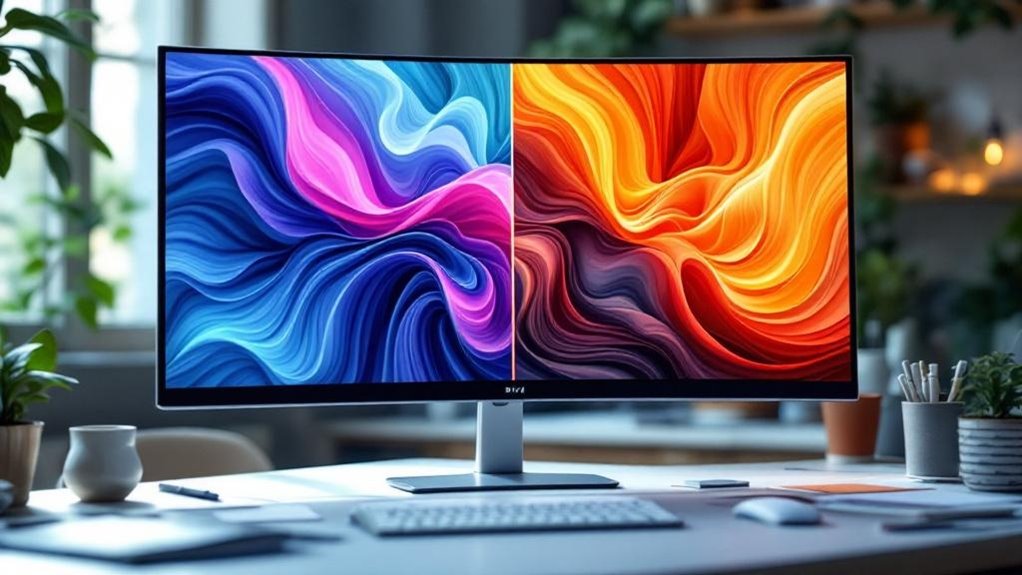
When it comes to visual customization, both builders give you a lot of control—but Divi leans into its 200+ design options per module (yes, really), while Elementor keeps things cleaner with fewer settings that are easier to find.
Elementor’s 100+ free templates and 300+ pro templates make starting a design quick, but Divi counters with 2,000+ pre-made layouts that feel more polished out of the box.
Both builders handle responsive design, letting you tweak layouts for desktop, tablet, and mobile separately—though Divi’s responsive controls feel slightly buried compared to Elementor’s more intuitive breakpoint system.
Divi is developed by Elegant Themes and is built to be lightweight and mobile-responsive, making it a strong contender for designers who prioritize performance alongside visual flexibility.
Visual Customization Options Compared
Most page builders promise you endless design freedom—then quietly hand you a box of crayons and call it a studio. Elementor gives you granular control over color palettes, typography choices, and layout grids without making you feel like you need a computer science degree. Its CSS controls are genuinely accessible.
Divi counters with robust module settings, design presets, and a visual hierarchy system that feels almost obsessively thorough. Both improve your user experience considerably compared to coding from scratch.
But here’s the honest part: Elementor’s interface feels more intuitive on day one. Divi rewards patience with deeper customization payoffs. So your choice really depends on whether you prefer a faster start or a higher ceiling. (Spoiler: both ceilings are pretty high.) Whichever builder you choose, pairing it with custom WordPress website design ensures your site reflects a unique theme, fonts, and user interface that stand apart from the competition.
Template and Layout Variety
Templates are basically the first thing you’ll raid when you’re staring at a blank canvas and quietly panicking. Elementor offers 300+ pre-built templates with solid layout structures covering portfolios, landing pages, and business sites.
Divi counters with 2,000+ layouts across 200+ packs. That’s not a typo. Divi wins on sheer volume, no contest.
But quantity isn’t everything (shocking, right?). Elementor’s template customization feels cleaner and more intuitive, especially for beginners who don’t want to scroll through endless options.
Divi’s library is impressive but occasionally overwhelming—like a buffet where half the dishes look suspiciously similar.
Both let you mix, match, and modify layout structures freely. Elementor skews modern and minimal. Divi leans decorative.
Neither is wrong. It really just depends on your vibe. Before committing to either, it’s worth aligning your choice with your website’s overall goals and the audience you’re ultimately trying to serve.
Responsive Design Controls
Both Divi and Elementor let you tweak mobile optimization techniques per device, but they handle it differently. Elementor gives you three breakpoints by default—desktop, tablet, and mobile—though the Pro version reveals additional breakpoint settings for more granular control.
Divi similarly offers three views but lets you customize specific elements at each breakpoint without upgrading. Honestly? Divi feels slightly more generous here out of the box.
You can hide elements, adjust spacing, and resize fonts independently per device on both platforms. Neither is perfect (mobile previews can lie, just so you know), but both give you enough control to avoid that dreaded “looks broken on phones” moment. A responsive design should ensure seamless viewing across all devices, which is a baseline expectation for any modern website competing for visitor trust and conversions.
Templates and Pre-Built Layouts: Which Builder Wins?

When it comes to pre-built layouts, both Divi and Elementor show up with impressive arsenals—but the details matter. Here’s how they stack up:
- Quantity: Divi offers 2,000+ pre-made layouts; Elementor has 300+ free templates with more behind a Pro paywall.
- Layout Diversity: Elementor’s designs feel modern and polished. Divi’s library is massive but occasionally dated.
- Template Customization: Divi lets you swap entire page sections instantly. Elementor’s block-based system gives you surgical precision.
- Ease of Import: Both import templates in seconds—genuinely painless.
Elementor wins on design freshness. Divi wins on sheer volume (and that’s not nothing).
Your actual choice depends on whether you prioritize aesthetic quality or having options. Both beat starting from scratch—obviously.
Which Builder Is Faster and Won’t Slow Your Site Down?
Speed matters—probably more than you think it does. Google uses loading speed as a ranking factor, so a sluggish site genuinely costs you traffic.
Speed isn’t just a nice-to-have—it’s a ranking factor. A slow site is silently bleeding your traffic.
Both Divi and Elementor have struggled with performance metrics historically (page builders aren’t exactly famous for staying lean).
Elementor’s recent updates introduced smarter resource management, loading only necessary assets per page. Divi’s optimization techniques include built-in caching solutions and minification tools that actually work.
Run your own speed testing using GTmetrix or PageSpeed Insights—don’t just trust marketing claims.
Here’s the honest take: neither builder is inherently fast out of the box. Your hosting, images, and plugins matter just as much.
Prioritize good hosting first, then tackle server impact through optimization. User experience lives or dies by those extra milliseconds.
Divi Vs Elementor Responsive Design: How Each Handles Mobile

Mobile traffic crossed 60% of all web browsing a few years ago and hasn’t looked back—so if your site looks broken on a phone, you’re losing more than half your potential visitors before they even read a word.
Both builders handle mobile optimization, but differently.
Here’s how they compare:
- Divi lets you toggle between desktop, tablet, and phone views directly in the editor.
- Elementor offers the same three breakpoints plus custom widths (Pro feature).
- Divi lets you hide or show specific design elements per device.
- Elementor Pro gives you more granular control over spacing and typography per breakpoint.
Elementor wins on flexibility.
Divi wins on simplicity.
Neither is broken—just pick based on how much control you actually need.
Whichever builder you choose, make sure your site uses SSL/HTTPS encryption to protect any customer data collected through mobile forms or checkout pages.
WooCommerce and Plugin Compatibility: Which Builder Fits Your Stack?
If you’re building an online store, plugin compatibility isn’t a nice-to-have—it’s the whole game. Both builders handle WooCommerce Integration reasonably well, but the details matter.
| Feature | Divi | Elementor |
|---|---|---|
| WooCommerce Integration | Built-in modules | Dedicated WooCommerce widgets |
| Plugin Compatibility | Broad but occasional conflicts | Extensive ecosystem, fewer issues |
| Shop Page Builder | Yes, native | Yes, with Pro |
| Third-Party Plugin Support | Good | Excellent |
| Conflict Resolution | Manual troubleshooting often needed | Better documentation available |
Elementor’s ecosystem is genuinely massive—over 100 third-party add-ons exist specifically for it. Divi works fine with WooCommerce but occasionally throws mysterious conflicts (fun). Plugin Compatibility is where Elementor edges ahead. More developers build for it first. If your stack is plugin-heavy, that difference matters more than you’d think. WordPress itself powers over 39.9% of all websites globally, which explains why such a large developer ecosystem has formed around tools built on top of it.
Divi Vs Elementor Pricing: What You Actually Pay Over Time

Plugin compatibility matters, but at some point you’ve got to talk money—because the “best” builder means nothing if the pricing wrecks your budget.
Here’s how the licensing options stack up:
- Divi costs $89/year or $249 lifetime—unlimited sites included.
- Elementor Free exists, but you’ll constantly hit paywalls.
- Elementor Pro runs $59/year for one site, scaling up fast.
- Long term costs favor Divi heavily if you’re building multiple sites.
Elementor’s per-site model sounds reasonable until you’re managing five projects. Suddenly you’re paying $200+ annually.
Divi’s lifetime deal looks almost suspicious—too good, right? It’s not. Elegant Themes has been around since 2008. That’s stability.
Before locking in a pricing plan, running a thorough keyword analysis can reveal which builder’s ecosystem better supports the content strategy you’ll need to rank long-term.
Do the math honestly before choosing.
Support and Documentation: Which Builder Has Your Back?
When something breaks at 11 PM before a client deadline, support quality stops being a background consideration and becomes the only thing that matters.
At 11 PM before a client deadline, support quality stops being background noise and becomes everything.
Elementor’s knowledge base is genuinely solid—detailed documentation, strong tutorial availability across YouTube, and active forum engagement from both staff and community members. Their community support forums move fast.
Divi’s documentation quality is comparable, and their user feedback loops have shaped consistent updates over the years.
Here’s the real difference: Elementor’s third-party resources are massive. Hundreds of independent troubleshooting resources, courses, and walkthroughs exist because the user base is enormous.
Divi’s community support is passionate but smaller. You’ll find answers either way, but Elementor’s ecosystem means someone’s probably already solved your exact problem (and filmed a tutorial about it). Whichever builder you choose, pairing it with Yoast SEO ensures your pages are technically optimized and following current best practices without needing to hire an outside agency.
Which Page Builder Is Easier for Beginners to Learn?
Both builders are marketed as “no-code” solutions, which technically means anyone can use them—though that phrase does a lot of heavy lifting.
Here’s the honest breakdown of your learning curve with each:
- Elementor’s drag-and-drop feels intuitive within 30 minutes for most beginners.
- Divi’s Visual Builder has slightly more friction upfront but rewards patience with deeper customization options.
- Beginner resources favor Elementor—YouTube alone has thousands of tutorials covering every use case imaginable.
- User experience differences become obvious fast: Elementor’s cleaner panel wins on clarity.
Neither builder will break you.
But if you’re brand new, Elementor’s gentler entry point is genuinely friendlier.
Divi clicks once it clicks—it just takes longer to get there.
It’s also worth noting that Elementor offers 150 pre-built templates to help beginners hit the ground running without staring at a blank canvas.
Divi Vs Elementor for Developers: Custom Code, Hooks, and Flexibility
Developers don’t just build pages—they bend tools until they either cooperate or break. Elementor wins here on developer tools and integration options.
It offers a cleaner API capabilities framework, robust hooks and filters, and better theme compatibility out of the box. You can drop in custom code snippets without wrestling the interface.
Divi isn’t helpless—its customization techniques work fine—but its hooks feel buried, and performance optimization requires more manual effort (translation: more Stack Overflow tabs open simultaneously).
Elementor’s REST API and third-party plugin ecosystem give you more flexibility when building complex client projects. Divi leans proprietary, which limits how far you can stretch it.
If you’re writing custom modules or integrating external services, Elementor simply plays nicer with your workflow.
Divi Vs Elementor SEO: Which Builder Outputs Cleaner Code for Search?

When it comes to SEO, the code your page builder spits out matters more than most people admit.
Elementor’s been notorious for loading extra CSS and JavaScript even when you’re not using certain features, which can tank your Core Web Essentials scores (Google’s fancy way of saying “is your site fast or not?”).
Divi’s not exactly innocent here either—both builders carry some bloat, but Elementor’s modular loading improvements in recent versions have narrowed the gap considerably. Choosing an SEO-optimized theme ensures fast page loads, which directly influences how search engines crawl and rank your site.
Code Bloat Comparison
Under the hood, both Divi and Elementor have reputations for generating code that makes developers wince. Neither wins a code efficiency award outright.
Here’s what the performance comparison actually looks like:
- Divi loads its entire framework regardless of which modules you’re using.
- Elementor generates deeply nested div structures that bloat your HTML.
- Divi’s inline styles can add 30-50KB of extra CSS per page.
- Elementor injects multiple JavaScript files even on simple pages.
Both builders prioritize visual convenience over lean output. (Shocking, right?)
You’re fundamentally trading cleaner code for drag-and-drop freedom.
Neither is catastrophically bad, but neither is elegant either.
Developers who care deeply about markup quality often reach for custom themes instead—and honestly, you can’t blame them. Cleaner code also has direct SEO implications, since page load speed and quality are factors Google’s algorithm weighs when determining organic search visibility and click-through rates.
SEO Performance Impact
SEO performance ties directly to page speed, and page speed is where both builders get a little awkward.
Neither Divi nor Elementor wins any clean-code awards. Both generate extra markup that can drag your Core Web Performance scores into uncomfortable territory.
Elementor’s performance analytics show measurable improvement after enabling their experiments feature (yes, it’s buried in settings).
Divi’s keyword optimization tools are solid, but the builder still outputs heavier page structures by default.
Page speed penalties hit your rankings whether you care about SEO impacts or not—Google doesn’t negotiate.
Your best move? Use a caching plugin, enable lazy loading, and audit both builders with GTmetrix before committing.
Neither builder is inherently SEO-friendly out of the box. You’ll need to do some work either way.
A two-second load time alone can push abandonment rates as high as 87%, meaning sluggish output from either builder isn’t just an SEO problem—it’s a direct threat to conversions.
Which Builder Fits Your Project: A Use-Case Decision Guide
Choosing between Divi and Elementor isn’t really about which one is “better” — it’s about which one fits *you*. Match your choice to your actual project requirements.
- Freelancers managing multiple clients — Divi’s lifetime license wins on future scalability and budget.
- Beginners prioritizing user experience — Elementor’s drag-and-drop feels immediately intuitive (less guessing).
- Teams needing integration needs met fast — Elementor’s 100+ third-party integrations beat Divi here.
- Content management-heavy projects — Divi’s theme builder handles design goals more holistically.
Both builders run on WordPress, which means you benefit from thousands of free plugins that can enhance SEO, e-commerce, security, and loading speed without complex coding.
Check your performance metrics, gather user feedback early, and be honest about team collaboration capacity.
Feature prioritization matters more than hype. Pick the tool that solves *your* problem — not the one winning Twitter debates.
Frequently Asked Questions
Can You Use Divi and Elementor Together on the Same Website?
You can use Divi and Elementor together, but you’ll face integration challenges that create performance impacts. It’s not recommended since running two page builders simultaneously slows your site and causes conflicts.
Does Elementor or Divi Work Better With Multilingual Translation Plugins?
Both builders offer solid translation support, but Elementor’s multilingual features and language compatibility make it slightly more seamless. You’ll find its plugin integration with WPML and Polylang smoother than Divi’s overall workflow.
Can Either Builder Export Designs for Use on Other WordPress Sites?
Both builders let you export designs, but you’ll encounter export limitations with each. Divi’s portability shines with JSON exports, while Elementor’s design portability works through template kits—you can reuse both across your other WordPress sites.
Are Divi or Elementor Websites Easier to Hand off to Clients?
Elementor’s cleaner interface makes client handoffs easier. You’ll find its documentation quality and support resources more beginner-friendly. However, Divi’s interface flexibility and built-in client training tools can work well if you customize the experience beforehand.
Which Builder Has a Stronger Third-Party Marketplace for Add-Ons?
Elementor’s got a stronger third-party plugins ecosystem. You’ll find greater marketplace variety, more pricing options, and fewer compatibility issues than Divi. Its open ecosystem lets you build, scale, and customize effortlessly.
Final Thoughts
Choosing between Divi and Elementor requires expert guidance tailored to your unique needs. Whether you need an all-in-one package with unlimited sites or a massive ecosystem with faster iterations, the right choice depends on your project, budget, and technical requirements.
Let Innovative Solutions Group help you make the best decision. With over 30 years of experience in website design and digital marketing services, our team understands the nuances of both platforms and can recommend the perfect solution for your business.
Contact us today to discuss which WordPress theme aligns with your goals:
Phone: 406-495-9291
Email: iteam@inovativhosting.com
Website: https://inovativhosting.com
Don’t leave your website choice to chance. Reach out to our experienced team and get the expert consultation you deserve.